Train with the equipment you actually have, delivered to your watch.
Liftomorrow turns your available equipment and training goals into AI-generated workouts - by muscle or by full session - then sends them straight to your Garmin watch, ready to start.
Why Liftomorrow
AI-generated workouts
Describe a muscle group or a whole session and get an editable draft with sets, reps and rest built around the equipment you actually have.
Equipment-aware, by photo or manual entry
Snap a photo of your gym (home, hotel, or a new gym) and confirm what the AI detects, or enter equipment manually. Workouts only ever use what you've confirmed.
Garmin watch delivery (beta)
Approve a workout and send it to a paired Garmin watch as a real structured workout, with configurable rest countdowns. Support for other platforms is on the roadmap.
History import & feedback-based adaptation
Import completed activities, confirm matches to planned sessions, and let future drafts reflect what you actually did instead of guessing.
Simple pricing
Start free. Upgrade only when you want AI to plan workouts for you.
Free
$0
Everything you need to plan, deliver and track workouts manually.
- Unlimited gym & equipment profiles (manual entry)
- Manually build and edit workouts and full programs
- Garmin watch delivery (beta)
- Import completed activities and track history
Pro
$7.99/mo or $79/yr
Everything in Free, plus AI does the planning for you.
- AI-generated workouts - by muscle or full session
- AI photo-based equipment detection - snap a photo instead of entering equipment by hand
- Feedback-based adaptation of future drafts
- Cancel anytime, effective at the end of your billing period
How it works
A captioned walkthrough using real screens from the app - no separate video file, just the actual steps in order.
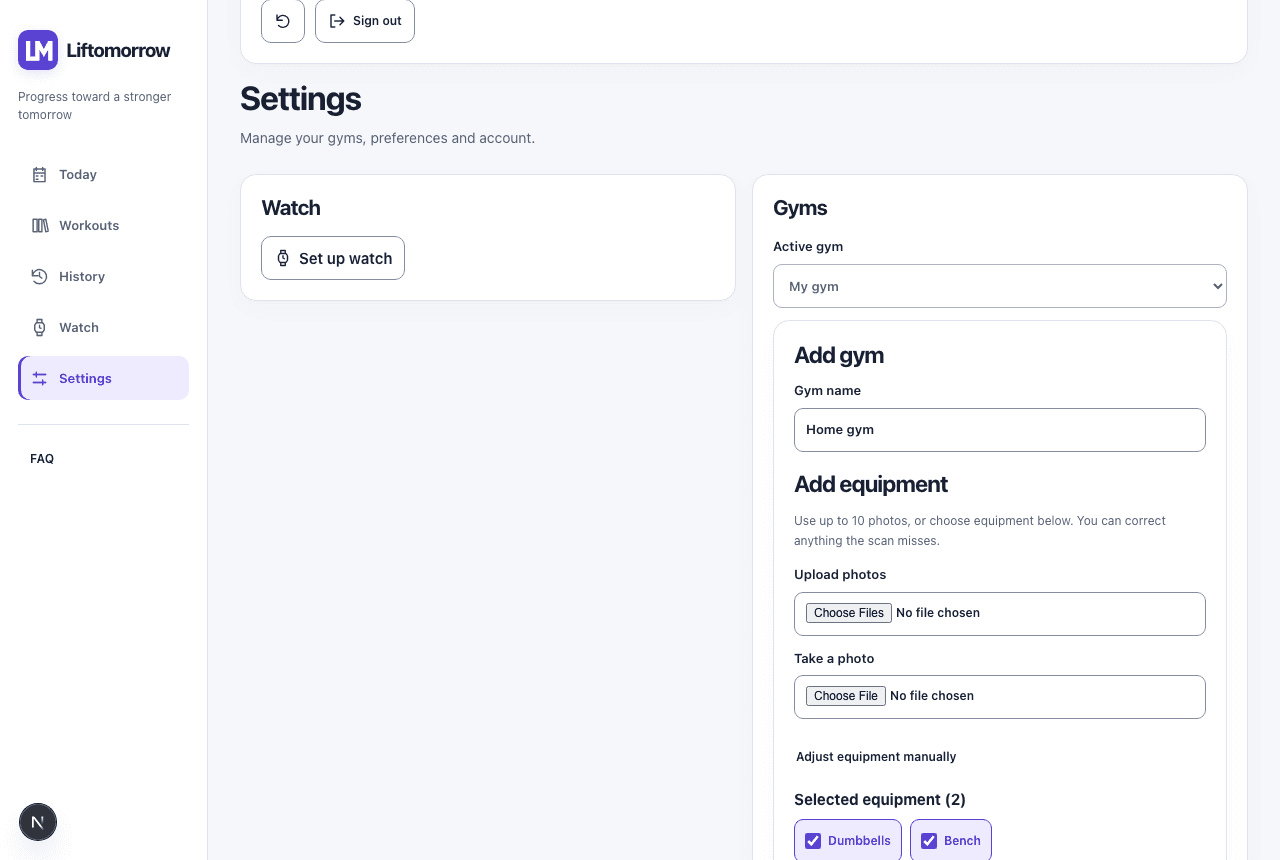
1. Add a gym and its equipment
Start in Settings & connections. Name your gym, then pick an equipment preset or confirm it item by item - manually or from a photo. Every workout generated for this gym will only use what you've confirmed here.
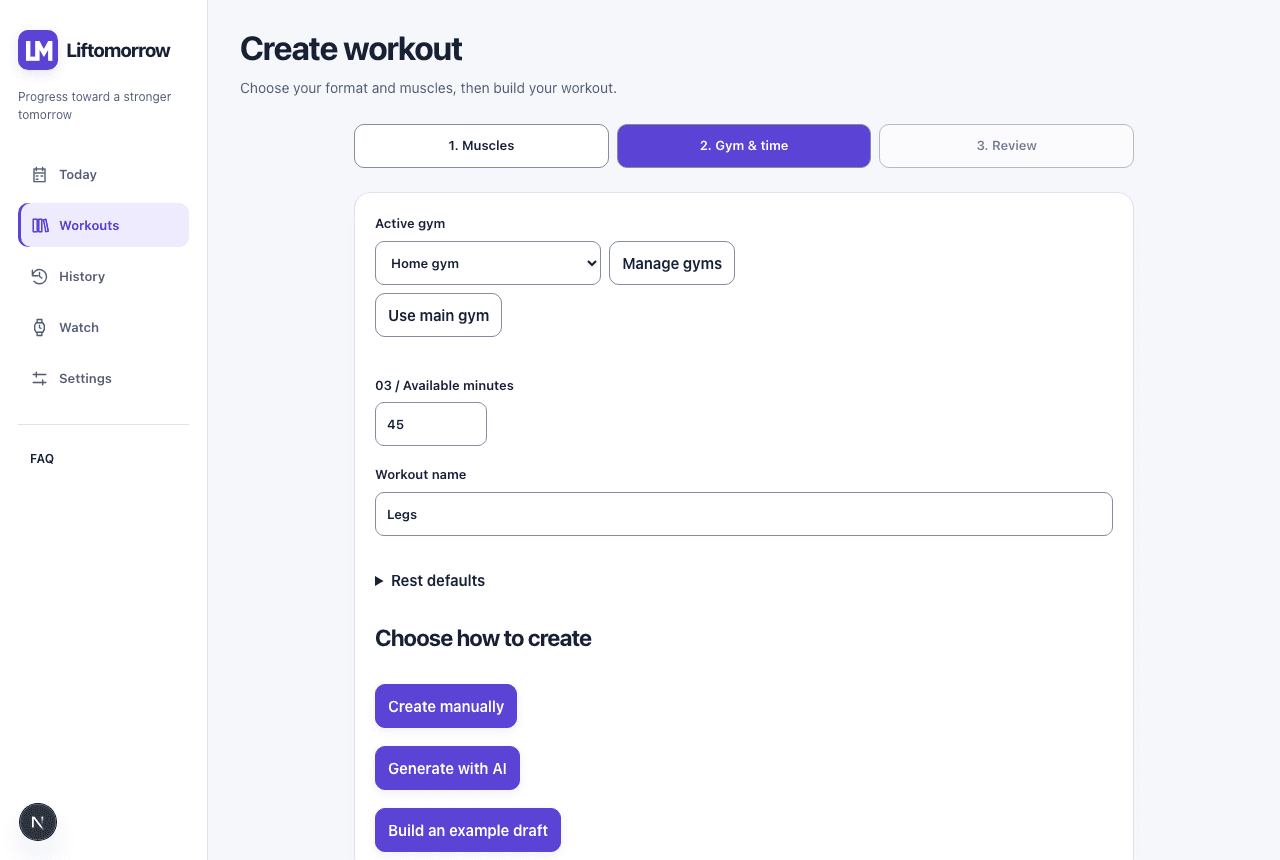
2. Create a workout
Choose a module (one muscle group) or a full session (several muscle groups mixed together), pick your focus, and confirm the gym you're training at. The draft that comes back only uses exercises your equipment supports.
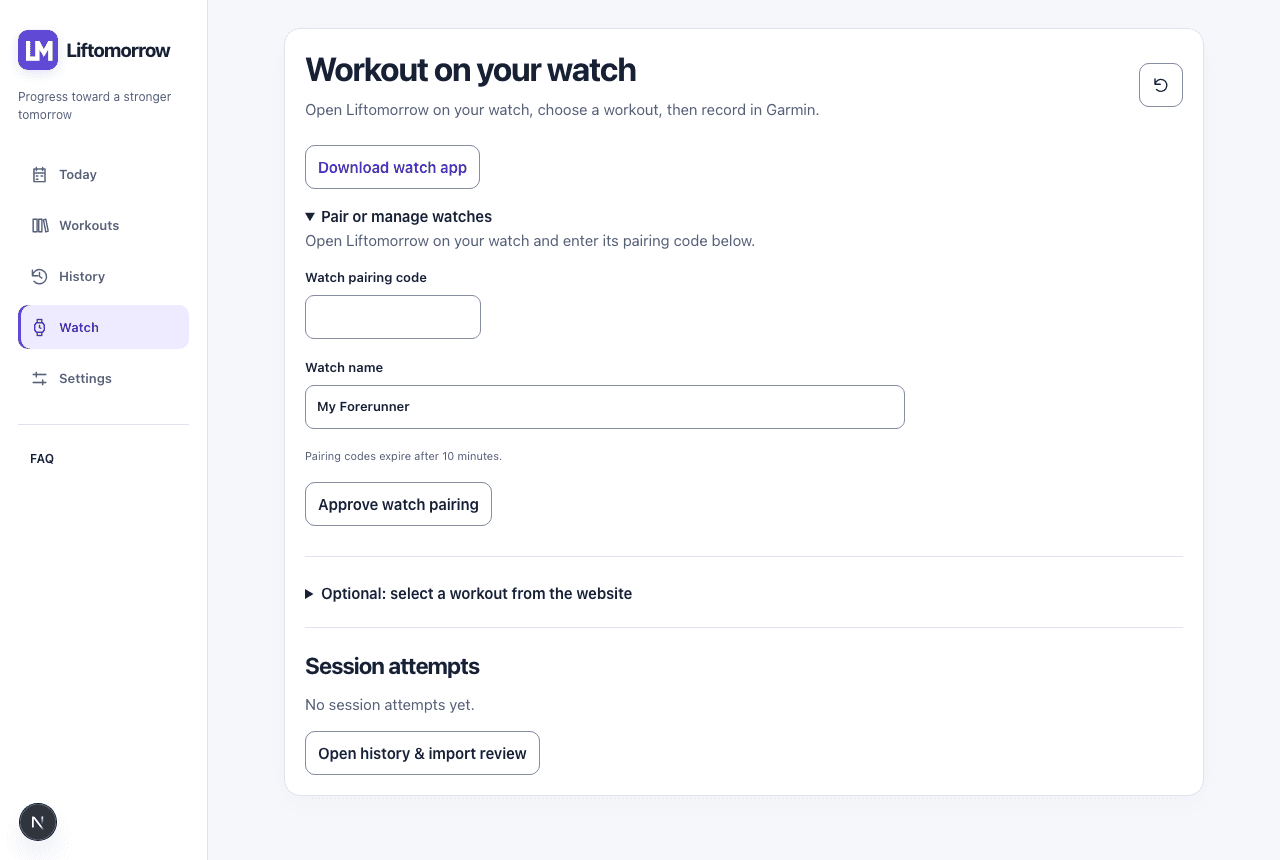
3. Connect your Garmin watch
Open Liftomorrow on your watch, enter the pairing code it shows you, and approve it here. Pairing is one-time per watch and can be revoked at any point without losing your history.
4. Deliver the workout and start itOptional / depends on watch model
Once a workout is approved, send it to your paired watch. Open it on the watch, hit start, and your sets, reps and rest countdowns are right there - no re-typing anything.
Ready to build your first workout?
Checking your account...